Sweep your Google Photos clutter into the bin.
PhotoBroom overlays a fast, keyboard-driven review on top of Google Photos search results. Flick through photos (keep, skip, or bin), then send the binned ones to Google's bin in one go. Nothing is deleted until you confirm, and the bin is recoverable for 60 days.
See it in action
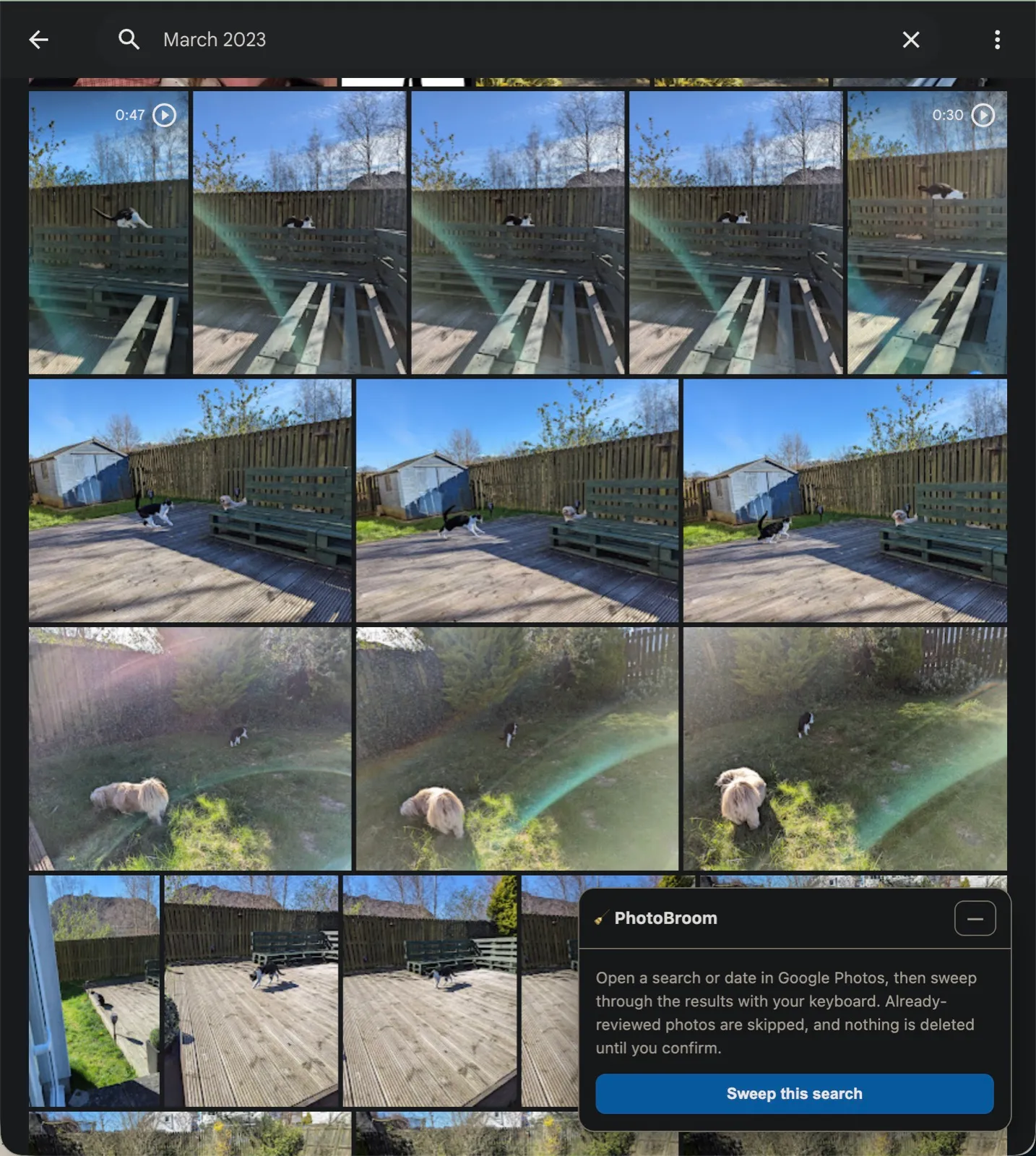
1. Search a date, then hit “Sweep this search”.
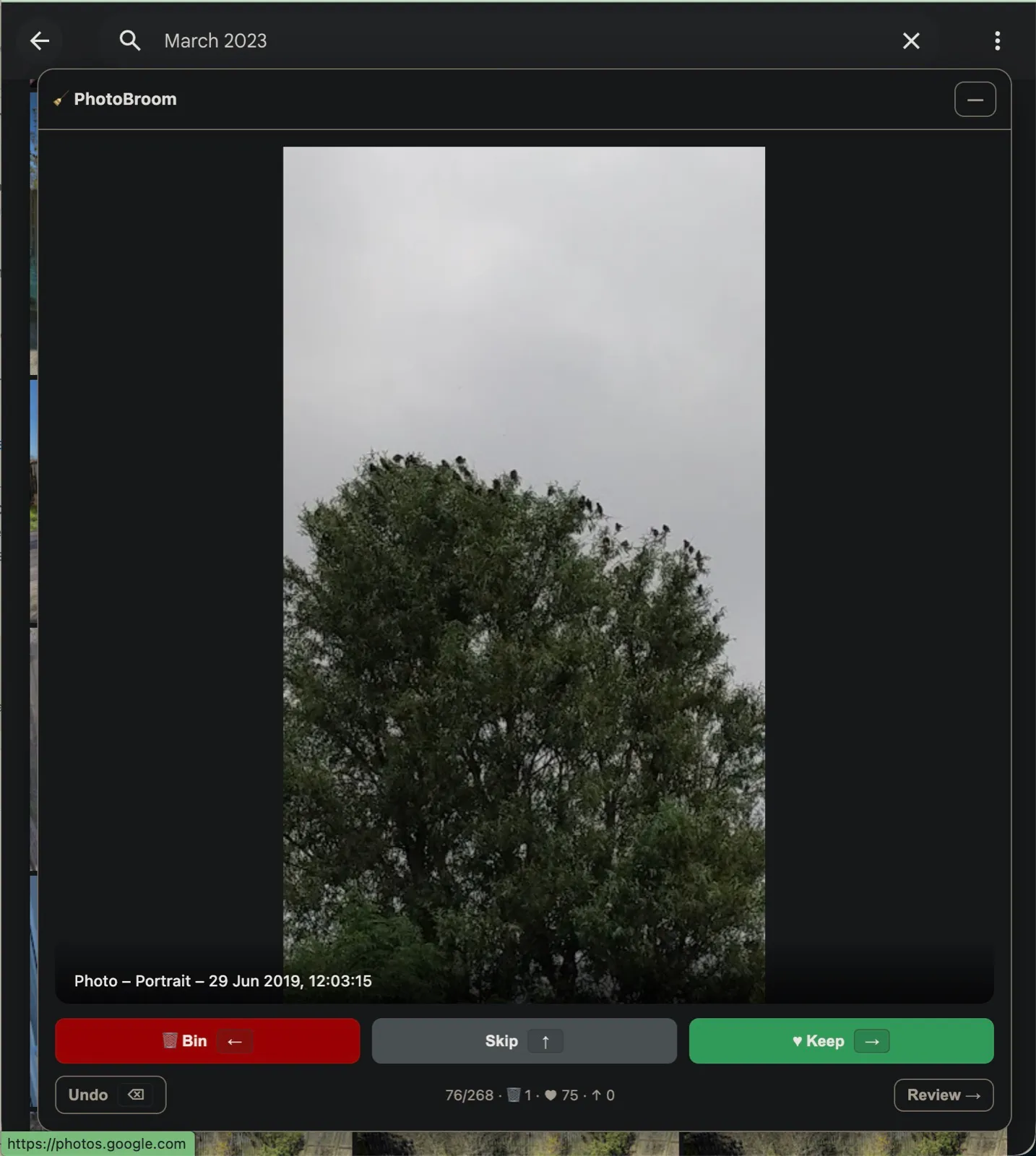
2. Review each photo with the arrow keys: bin, skip, or keep.
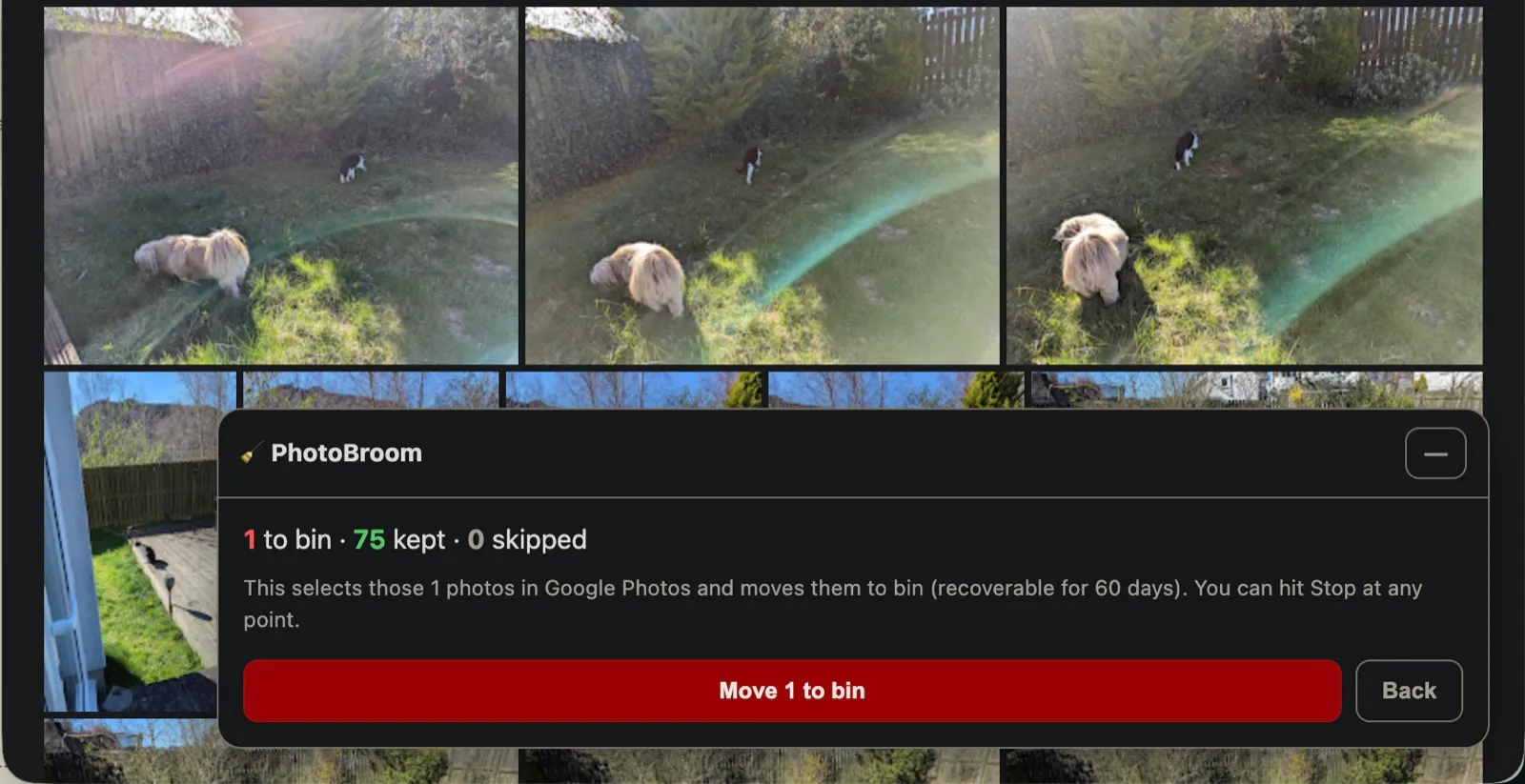
3. Check the tally, then move the binned ones in one go.
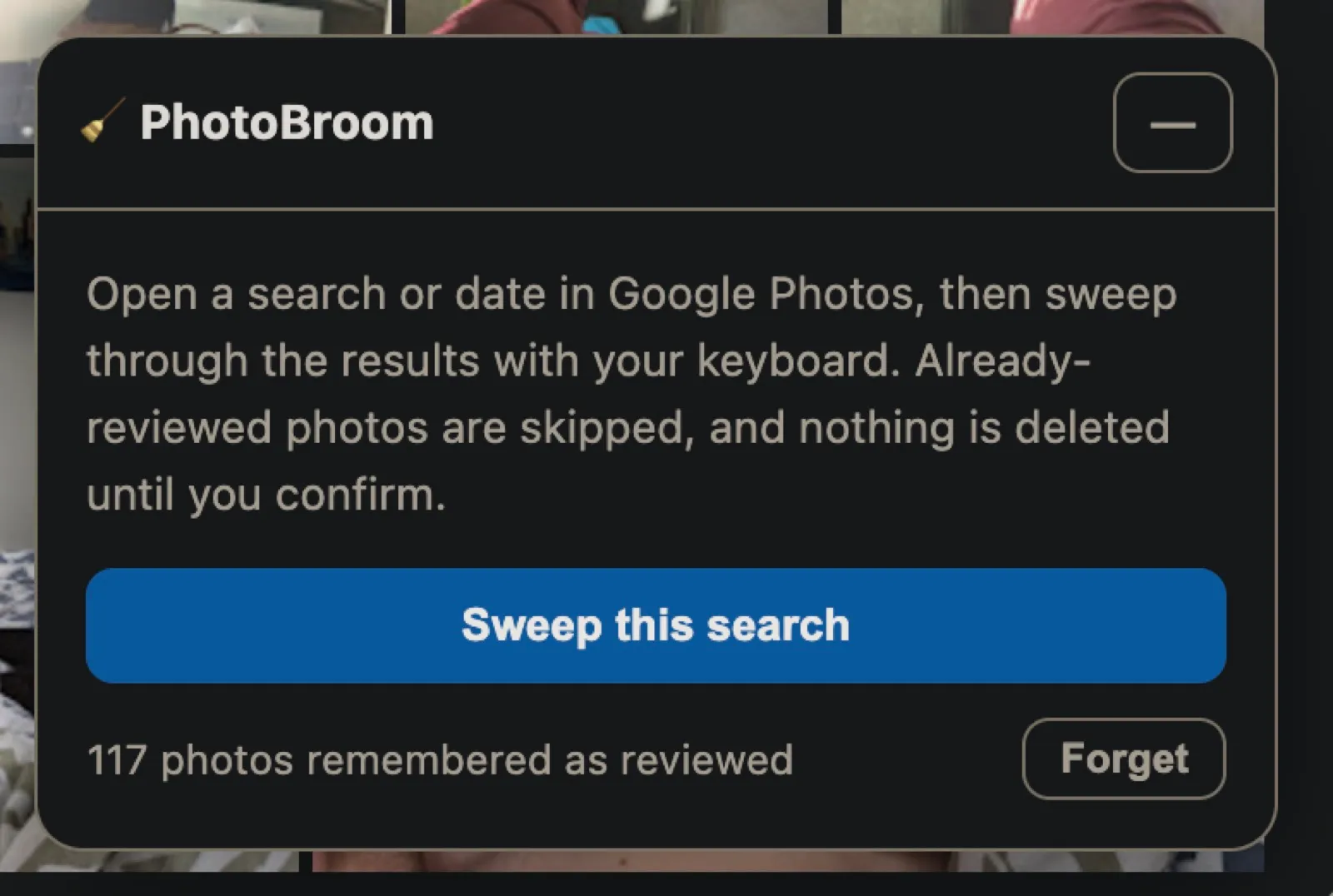
4. Done, and re-reviewed photos are remembered next time.
Why a browser extension?
Google Photos has no bulk "delete everything from this search" button, and its API can't delete photos at all. So PhotoBroom works the only way that's actually possible: as an extension that drives the Google Photos web page itself, using Google's own multi-select and "Move to bin", just faster and with a nicer review UI.
🔒
It runs entirely in your browser, on photos.google.com, while you're logged in. No photos, tokens, or data are ever sent anywhere. There's no PhotoBroom server.
Install it (load unpacked)
PhotoBroom isn't on the Chrome Web Store (see below), so you load it yourself: a one-time, two-minute setup.
Clone the repo and build the extension bundle:
git clone https://github.com/TheDuckGoesQuark/CampingTrip
cd CampingTrip
pnpm install
pnpm --filter photobroom build:overlay
Open chrome://extensions and turn on Developer mode (top-right toggle).
Click Load unpacked and select the extensions/photobroom folder from the repo.
That's it. PhotoBroom is now active on Google Photos. After pulling updates, re-run the build command and hit reload ↻ on the extension.
How to use it
Go to photos.google.com and search for what you want to thin out: a date like June 29, a place, or anything else.
In the 🧹 PhotoBroom panel (bottom-right), click Sweep this search. It scans the whole result set.
Review each photo with your keyboard (or the buttons):
Hit Review →, check the counts, then Move N to bin. PhotoBroom selects exactly those photos and moves them to Google's bin.
Changed your mind mid-run? The red ■ Stop button aborts instantly and clears the selection. Binned photos sit in Google's bin for 60 days, so nothing is gone for good.
How it works
- A content script injects the review UI into a shadow root on the Google Photos tab, so its styles stay isolated from Google's page.
- It reads the photo grid directly and scrolls it to load every result, then drives Google's native multi-select and the built-in Move to bin action.
- All the Google-Photos-specific selectors live in one place, so if Google changes their markup it's a quick, single-spot fix, with a test suite guarding the contract.
- Nothing leaves your browser, and nothing is deleted until you press Move to bin.
Why it's not on the Chrome Web Store
Automating another site's interface almost certainly runs against Google's Terms of Service, and the Web Store wouldn't accept it. PhotoBroom is a personal tool: you run it on your own account, at your own discretion. Because Google's "Move to bin" is fully reversible for 60 days, the blast radius of a mistake is small, but treat it as the unofficial, use-at-your-own-risk helper that it is.